Saturday, November 7, 2009

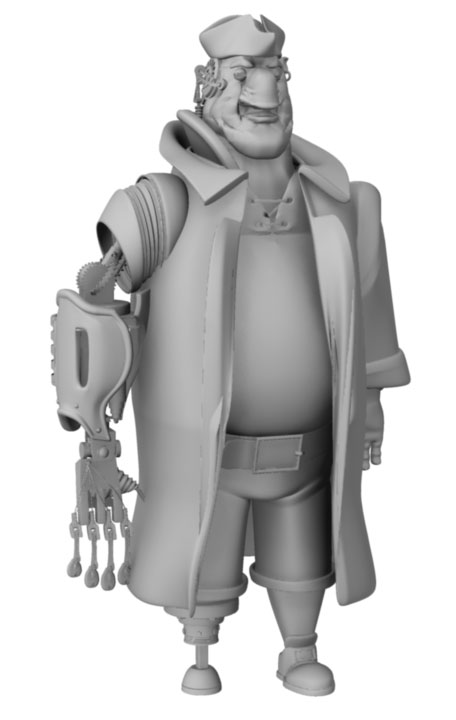
Mr. Cuddles - The Layout - Draft 2

*UPDATE*

I added a basic shadow pass, and it seems to be helping a bit...but still much, much more to be done.


Trying a basic colour test to see what pattern I should go with before I finalize textures. This is going to be a long, painful process...but here's the start.


Rendered with Maya Software renderer.

Friday, November 6, 2009

Mr. Cuddles - The Layout - Draft 1

Slowly, but surely...


Made in Maya

Wednesday, November 4, 2009

Mr. Cuddles - The Modeling - Props 6

A trophy for our champ...


... and the football that he earned it with.


Modeled in Maya.

Sunday, November 1, 2009

Mr. Cuddles - The Modeling - Props 5

A power outlet. Cause every room has at least one.


Modeled in Maya

Saturday, October 31, 2009

Mr. Cuddles - The Modeling - Props 4

The star of the show (no pun intended)


...and I just had to show him in colour too. Here is how he will probably look in the final film. You will see a bit of texture on him if you view him large:


Modeled, textured and rendered in Maya

Friday, October 30, 2009

Mr. Cuddles - The Modeling - Props 3

More props from the shop...


Gym bag - modeled in Maya

Thursday, October 29, 2009

Birds

So I took a day off today and went to the Royal Ontario Museum (ROM) today to do some bird sketching. It was fun to just draw at my own pace and enjoy it, something I should probably be doing a lot more often. Anyway, here's my sketch page, after much unfortunate smudgery occurred when I got back home.


The bottom right one looks downright evil...anyway, back to work...

Pencil on sketchbook paper

Wednesday, October 28, 2009

Mr. Cuddles - The Modeling - Props 2

Another reasonably productive day. Here are the new ones again in no particular order:


Suitcase


Bottle


Ceiling Light Fixture


Bed

All modeled today using Maya.

Mr. Cuddles - The Modeling - Props 1

Sorry about the long delay in posting, as I have been working mostly on rigging and the leica reel for my film, both of which I'm not quite ready to show online yet. But just to keep my blog alive, I thought I'd show you some of the props I've been modeling for the film for the last couple of days. Here there are in no particular order:


Cardboard box


Bookshelf


Door


Computer Desk


Scissors


Roll of Tape


Fan

All modeled in Maya over the last 2 days. Much more to come soon, hopefully as soon as I would like them to...

Wednesday, September 23, 2009

Mr. Cuddles - The Beginning

My time has come - the time for me to prove what I'm made of (and not made of) by producing my final fourth year film - my magnum opus.

The (working) title - Mr. Cuddles.

The idea - What if a tough football guy in his late teens had a secret soft side - he still loves his favorite musical stuffed toy from his childhood ... and his girlfriend discovers it?

In case you're wondering, my film will be done entirely in CG. I'm still 'boarding' out the fine details of my story, but here are some sample images from my pitch package that I used in my presentation.


Mr. Cuddles - Profile Page


Phil Profile - Page 1


Phil Profile - Page 2


Chelsea Profile - Page 1


Chelsea Profile - Page 2

Friday, August 28, 2009

More rigging stuff

Here are some samples of more of my rigging work that I did over the summer. I feel like a mad scientist now, after doing this...enjoy!

video

Houdini Master 10.0.381

Saturday, July 11, 2009

Rigging a rig

I've been an intern at Side Effects Software for the past couple of months. They're the geniuses that make a program called Houdini, which is a major player in the 3D animation business. I chose to beef up my rigging and effects skills, and here's an early test animation that I did using a full body muscle rig that I've been developing for a while. This was actually done a month ago, but now I'm allowed to actually show it. Enjoy!


video

Front View


video

Back View

Houdini Master 10

Tuesday, May 12, 2009

50 steps to success in animation school

What happened to me? So much I don't even remember half of it anymore...I worked on a group film for the whole year, spending inhuman amounts of time, effort and suffering on getting it done and trying to do a good job of it. In the end it worked out pretty well. Our film even took third place out of the ten films that were created by our year, so our group has a lot to be proud of. I did learn a lot this year. Not just about drawing and animation, but also about myself, and who I am and who I am not. More on that in a later post, but for now, I had an idea I meant to post for some time now.

I've been through a lot in this program and it made me think about what I've become after going through it for the last three years. I've survived so far and I'm grateful that I have, but I know that I made some mistakes along the way that prevented me from becoming a stronger artist, and even possibly a stronger person. I'd like to give some advice about how to succeed in this program based on what I've experienced. The only reason I'm giving it is because I've made some of these mistakes personally, and I'm sure that if I had avoided them, I would have found more of the success I was hoping for overall. So here we go - 50 steps to success in animation at Sheridan, though this may apply to other schools too:

1) Get everything you need to get your work done - animation paper, newsprint pads, pencils, gouache, pegbar, animation disc, etc.

2) Get a sketchbook or two or ten. Yes ten, because you'll probably be filling them up faster than you would imagine.

3) Draw. Whether it's homework or just practice, draw.

4) Draw some more.

5) Have fun!

6) Draw some more.

7) Sleep. You'll probably find yourself getting less and less of this as you continue your studies, but if you can budget your time well, you'll find that all-nighters may not be necessary at all.

8) Show up to class. How else are you going to know what to do for your assignments and how to do them?

9) Draw some more.

10) Don't give up.

11) Draw some more.

12) Have fun!

13) Draw some more.

14) Don't give up.

15) Make friends. They're your lifeline, and they'll be helping you with your studies when the teachers are not around.

16) Don't be afraid of criticism. You can't avoid it, and frankly, you learn the most from it. Like I mentioned earlier, it takes making mistakes sometimes to learn.

17) Draw some more.

18) Don't give up.

19) Draw some more.

20) Don't give up.

21) Look back at your progress once in a while. You'll think at first that you're not making any, but in reality you are, as long as you're working at it. There were times I felt like I throwing away all of my drawings, and when I looked back at the ones I did 6 months ago, I felt so much better after looking at the ones I just did.

22) Draw stuff that you like whenever you have the time and feel inspired to. Drawing should also be enjoyable, not just a job, otherwise you'll go nuts drawing stuff all the time that you don't really care for.

23) Draw some more.

24) Draw some more.

25) Don't give up.

26) Draw some more.

27) Don't give up.

28) Don't give up.

29) Watch some cool movies or TV shows, or play some games that inspire you. This is the stuff that you'll be working on once you graduate, so think about what gets you going when it comes to animation.

30) Draw some more.

31) Don't give up.

32) Relax. As much as you love drawing, there will come a time when you just want to put the pencil down for a while and get back to the things you had to put aside because of all that drawing. The mind and the hand both need some time out every now and then.

33) Pick that pencil back up and draw some more.

34) Draw some more.

35) Don't give up.

36) Draw some more.

37) Inspire yourself. This may sound repetitive, but I mean look around the web, or around the studio. You'll always find some great artists around that are enjoying the fruits of their labors and they're the ones that everyone aspires to be. Every artist needs a source of inspiration.

38) Draw some more.

39) Don't give up, please.

40) Check on your progress again. If you're still not happy with your progress, you're probably just being too hard on yourself. If you're completely happy with your work, you're probably being too easy on yourself.

41) Check around and see what studios you'd like to work for when you're done. Be realistic too, since almost everyone starts off at places they wouldn't call their dream job at first...although anything is still possible.

42) Draw some more.

43) Don't forget your friends. They're probably going to be working with you on that upcoming group film or you might have working relationships with them when you graduate, so keep healthy and happy relationships with your friends.

44) Draw some more.

45) Don't give up.

46) Maybe it's time to start thinking about what you want to focus your efforts on. Do you have a thing for animating? storyboarding? layout? character design? If you do, great! Make yourself a force to be reckoned with in the field. If not, relax. Many people graduate not being sure what their forte is.

47) Draw some more.

48) Get those last assignments done, as annoying as they may be. When they're done, you won't believe how wonderful it will feel.

49) Don't give up...you're almost there!

50) Now that you're done, celebrate, look back at your progress and be glad you made it this far.

This is by no means a guarantee of success, but it's the steps that I would have followed that would have most likely made me feel the best about myself, in terms of know that I gave it my absolute all. Meanwhile, how do I feel now about my progress?


Saturday, March 28, 2009

Brutallo

I haven't been able to update my blog in so long, since I've been so busy mostly with the group film I'm working on, also with being sick as I am while I'm writing this. :(

But this post is special.

A good friend of mine recently passed away. I didn't know him for very long, and I've never even seen him before, but all the same, in the short time I knew him, we were good friends. Adam Dellacecca, whom I knew as Brutallo when I played World of Warcraft with him, was someone I always enjoyed being with and talking to, even if it was always through a microphone in front of my computer. He mentioned to me that he liked my artwork, and that he wanted me to make a color caricature of him, but he couldn't send me his photo, so I made this drawing of his character instead, since it is the way I knew him best, anyway.

It's a shame that he won't be able to see this, but I know that this is something that he would have wanted. I sent the original drawing to his family as a sympathy gift, so now all I have is this digital scan. I hope you enjoy seeing it as much as I enjoyed making it, and may Adam rest in peace, knowing he is remembered very fondly.


Pencil crayon and pastel on cardboard.

Monday, February 9, 2009

Cupid

...please take your aim at me...


Pencil linework, Adobe Photoshop CS3 color work

Saturday, January 24, 2009

I, Draenei

Pastels are fun. So is World of Warcraft (which I can't afford to play, due to time and money while I'm in school). I thought I'd try something out with my pastels sitting on my desk, and I tried draenei-ifying myself. Hopefully one day I'll become good at pastels, but for now, here it is for your amusement. Enjoy!


Nupastel on cardboard.

Saturday, January 17, 2009

Animation - Help Me...

So much to do, so much happening so fast...while I get my demo reel ready and pray for a decent internship this coming summer, here's an animation I did as an extra piece for my reel. The rigged character file was created by Chris Caufield, and I got the sound clip from "Talladega Nights". It's in playblast form at the moment, but I might polish it up with lighting, etc, if I have the time. Meanwhile, enjoy!

video

Autodesk Maya 2008

Monday, December 8, 2008

Life Drawing - End of Episode V

Wow...we learned a lot about drawing this semester in life drawing class! I even became addicted to pastels after the course. Here are a few highlights from my class that I thought I'd post. Enjoy!


20 min - Nupastel


5 min - Conte


5 min - Nupastel


20 min - Nupastel

Tuesday, November 25, 2008

Animation - Someone as smart as you...

Here's a little something I've been working on for a while now alongside my action analysis project. My Maya teacher, the incredible Mike Watters provided this rigged character for us to animate to a 10 sec audio clip. I chose the clip from the movie "Back to Gaya". Enjoy!


video

Thursday, October 30, 2008

Action Analysis - Blocking

Assignment: Create a 30 second story and animate 5 seconds of it using any medium you want. I chose to do my assignment in Maya (!) and I finished the modeling, rigging and lighting stages. Below is a "workbook" shot of my scene to indicate where everything is taking place. Much more on the way, so enjoy for now!


Autodesk Maya 2008

Monday, October 20, 2008

Life Drawing - Episode V

My quest for improvement in life drawing continues. This time, I'm just posting up a few images that I liked enough to show here. Hopefully you guys will too. Anyway, enjoy! And my journey continues...


30 seconds - Blind Gesture
Nupastel on Newsprint


1 min - Nupastel on Newsprint


2 min - Conte on Newsprint


3 min - Nupastel on Newsprint


3 min - Nupastel on Newsprint


3 min - Nupastel on Newsprint


5 min - Nupastel on Newsprint


5 min - Nupastel on Newsprint


5 min - Nupastel on Newsprint

Tuesday, October 7, 2008

Animation - Walking Snob

Just doing something a little different with a walk cycle assignment I had in one of my classes. The character was modeled and rigged by my teacher, Mike Watters, and I animated it. I'll probably tweak it a bit later, but enjoy!

video

Autodesk Maya 2008

Sunday, September 21, 2008

Old School 3D

*UPDATE*

Two and a half boxes of Super Sculpey later, I have the basic shapes done...


Oh yeah, I fixed the chin too...

-----------------------------------

Here's something I did partly for fun, and partly for a project I'm working on. I'm doing a character animation in Maya, and I figured that if I could work out the shape of the character in Sculpey, it will help solve some CG modeling problems later on. Anyway, here's the beginning stage for the head. I'll add the progress as I go along, and it should be rather fast, considering everything else I'll be working on. Enjoy!


Front View - Super Sculpey


Side View - Super Sculpey

Sunday, September 7, 2008

Ball and Chain

Just a couple of simple exercises I did in Houdini to animate. I've been spending the last while trying to translate the things I learn about animating in Maya to Houdini to see how well they will understand each other. So far it's not so bad, but it gets weirder with each step. Anyway, here's a bouncing ball:

video

Bouncing ball

And here's a swinging chain:

video

Swinging chain

Yours to behold...and hopefully enjoy!

Monday, May 26, 2008

Diamond in the Rough

So, getting back to my dear old blog, which I've shamefully neglected again. I've been messing around in Houdini, a monster of a 3D program that kept my crazy mind busy for many sleepless nights...

Before I try to explain what I did and end up boring and confusing people, I'll just say I figured out how to make a diamond with all of its physical properties from scratch by writing my own 3D shader. Yes, I attempted to write my own shader. Here is the rendered turnaround animation of the diamond:


video

And here is an image below of the VEX network I created to make the shader, for those who care to know.


Why did I do this? Well, you never know when it will come in handy...anyway, enjoy!

Wednesday, April 16, 2008

Animation - We're All Lucky

My final animation assignment for the year: take a character with a beak and animate it talking and acting to an audio track. I grabbed this sound clip from "The Rocky Horror Picture Show". I had a lot of fun doing this, and despite that I rushed it and there are some things about it that I would fix, I still like this one. I hope you do too!


video

Tuesday, April 8, 2008

2 Figures 1 Page

The name says it all. I kinda liked these, plus as this is my first time doing this, maybe when I do more in the future, I'll compare them to these as a starting point. Anyway, enjoy!


20 min


20 min

Wednesday, April 2, 2008

Rat Trapped

Something I came up with in my Life Drawing class. I can't help but feel sorry for our little rodent friend. No rats were harmed in the making of this drawing.


Nupastel on Newsprint. 20 min.

Thursday, March 13, 2008

Animation - It's Not Your Fault

It is my fault for not posting for so long, however. :( Anyway, here's another pencil test animation assignment I did. I had to take a character with a muzzle and animate it to a sound clip from a movie. I got this one from "Good Will Hunting". Here is the result:

video

Monday, February 18, 2008

Animation - I Will Not Apologize

Assignment: Take a line from a movie and animate a character acting out the line. I snagged this quote from the movie "Magnolia". I went through a lot of pain and anguish trying to get this as close as possible to the way I hoped it would look. So here it is to behold in all of its oddity. Enjoy!


video

Friday, February 1, 2008

The Motorcycle, Boy

*UPDATE*

I've created a 360 degree rotation movie of the motorcycle. I hope you enjoy looking at it as I did making it, which was a lot. :D

video

*UPDATE*

I've added some colour and texture to the motorcycle. Phew! On to the rest of my projects...


My first assignment in my Maya modeling class - a hard-surfaced model (no characters, etc). This was based somewhat on an image I found of a Yamaha YZF-R1 cycle. Hours and hours later, this is the result. I'll throw up a full turn-around movie as soon as I can. I also hope I can add textures soon. But for now, enjoy!


Side View


Front View

Back View

Autodesk Maya 2008 - Polygons only